Image searches are initiated on
the Image Review Search screen. Click the  button on the Image Review Search screen to move to the Browse Images
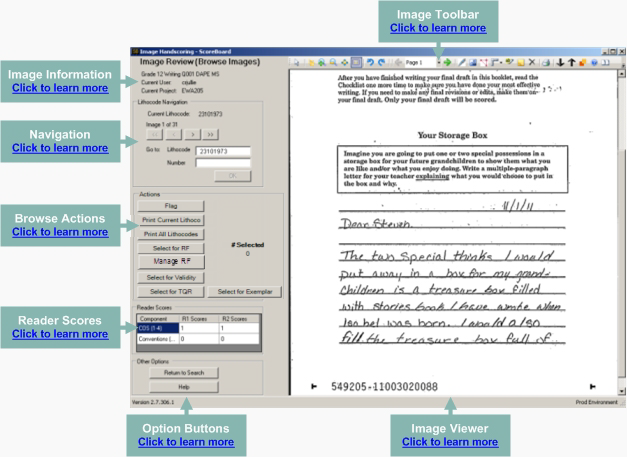
screen. The returned images will be reviewed on the Image Review (Browse
Images) screen.
button on the Image Review Search screen to move to the Browse Images
screen. The returned images will be reviewed on the Image Review (Browse
Images) screen.
Click the links below to learn more about the Browse Images screen and its components.